



Search Engine Optimization (SEO)
Raising your Profile and Being Found
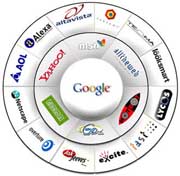 Search engine optimisation (SEO) is the process of improving the volume
and
quality of traffic to a website from search engines via ‘ natural’
(‘organic’ or ‘algorithmic’)
search results. To index a website, a robot or crawler starts from a
known point of origin, follows
links between web pages, and caches page text, content and other text or
HTML based information as
it moves about the web.
Search engine optimisation (SEO) is the process of improving the volume
and
quality of traffic to a website from search engines via ‘ natural’
(‘organic’ or ‘algorithmic’)
search results. To index a website, a robot or crawler starts from a
known point of origin, follows
links between web pages, and caches page text, content and other text or
HTML based information as
it moves about the web.
Google and Yahoo differ in their approach and from time to time this
formula will change. It
is therefore important to monitor how your pages appear in searches, and
to adjust the part of the
meta and/or page text that appears.
It is critical that your website structure and coding is search
engine friendly. Many complex
tourism sites have barriers to search engine crawlers that mean their
content is not fully indexed.
These barriers include:
- Mark-up code which does not validate to W3C WAI recommendations.
- Flash introduction pages and/or Flash navigation.
- Javascript navigation (commonly used to provide dropdown or rollover subsidiary navigation menus)
- Complex database URLs. These should be masked with conventional URL formats
- Relying on performing a search that cannot be replicated by search engines, to produce content from a database-driven site
- Frames construction may form a barrier for crawlers
- Redirects and linking multiple domain names to one website. Redirects can be useful in certain circumstances, but may harm rankings if used incorrectly
Accessible sites with extensive valuable text content are generally search engine friendly. Check whether the deepest pages of your site are indexed by pasting the URL (without http://), or a block of text within inverted commas, into the search engine.
You can discover the search terms
people use with the help of tools such as:
- Google Adwords keyword tool: https://adwords.google.com/select/KeywordSandbox
- Overture search term checker:
- For USA users: http://inventory.overture.com/d/searchinventory/suggestion
- For UK users: http://inventory.uk.overture.com/d/searchinventory/suggestion
- Keyword Discovery: http://www.keyworddiscovery.com
- Word Tracker: http://www.wordtracker.com
Check the comparative competition level on each search term by inputting it to Google or Yahoo and noting the number of pages returned. Look for search terms that have a higher ratio of searches to number of pages returned, and that are most likely to produce business. You should also:
- Check the top ranking sites for each term to see how well they are optimised and how easy it would be to challenge their position. Use the Google toolbar www.toolbar.google.com to see what value Google places on each page returned; and check their link popularity on www.linkpopularity.com
- Develop an understanding of the words buyers of your service have used to search for information before or during their trip. Use customer surveys and the search function in your website to gather this valuable information
- Select two or three relevant search terms per page, that are specific (and therefore easier targets), achievable, and likely to produce site visitors who will turn into customers. The words you select may be about your service, your location, or other distinctive attributes
Optimising text and meta data for your
target terms
The following instructions contain technical terms and references to
HTML code. If necessary,
ask your webmaster or programmer for assistance when going through these
steps.
Step 1: Write the page text
intended for the site user:
Provide useful and actionable information in an easy-to-read style.
Write to suit the
on-screen user
Do not use graphics to display text. Search engines cannot read
this, so persuade your
graphic designers to use text even at the expense of the design
Step 2: re-edit so that your
target search terms appear two
or three times in the text of each page:
Try to include these terms (without dividing the words up) in the
anchor text (the actual
text contained within the clickable link) and in headings and
subheadings (using the HTML codes
that signify header and sub header status – <h1> and <h2>):
Place them as high up the page as possible and
Include your business’s core service type, geographic area and the
country name in text on
the footer of each page to help optimise search chances for the
important geographical terms
Step 3: edit the HTML Title tag
(approximately 10 to 65
characters) to include the target terms for each page as close to the
start of the Title as
possible:
There are several schools of thought as to the ideal content for the
HTML Title tag, which
will be visible to site users at the top of the browser window (usually
in blue), and should be a
clear statement of what that page is about
Make your company status clear in the HTML Title tag but avoid
trying to use it purely for
branding – and resist the temptation to just repeat keywords as it may
make your site look less
official and reliable, and it will not help optimisation
Step 4: edit the meta tag
Description, again repeating the
target search phrases for that page:
The meta tag Description can be longer than the HTML Title tag and
should be a useful and
truthful description of the text content of the page
Step 5: in the meta tag Keywords
(<meta name=”keywords”
content=”your keywords”>), add keywords that appear on the page and
include those target search
terms again:
Meta keywords are not currently used by search engines, but this may
change and it is good
practice to include them. Make sure that all keywords in the meta tag
Keywords are included
in the text on the page, otherwise you may incur ranking penalties
Finally: add target search terms to at least one alternate text
(commonly called alt tags,
they are the text that can pop up when the cursor is moved over a
graphic), for a graphic on the
page, preferably a clickable graphic.
Remember, if you have different language versions then you must
optimise in each language
separately.
Developing keyword-rich anchor text
links within the site
Many websites rely upon graphic buttons for global and core
navigation menus.
There is an SEO advantage to having text based links in menus,
especially if they contain target
search terms relevant to the content of the pages they lead to. Make
sure there are plenty of key
search-term-rich text links between pages, whether or not the main
menu(s) are text. The anchor
text should contain the target search terms of the page it leads to.
Such links also provide useful
alternative routes to key information for site visitors and can help
improve accessibility
compliance.
For example:
Wrong: “Click here to book safari tour in (Destination) now”
Right: “Book safari tour in (Destination) online now”
Page URLs Matter
The URL or address of a website page is important and should
as far as possible
contain target search terms for that page.
If a site is database driven, mask the database URLs with
conventional page URLs. This is
easier for site users to understand and is believed to increase the
likelihood of search engines
indexing all pages.
For example:
Wrong: www.oursite.com/57429/22.bb.html/?profile=NDpMTOSbRGt+ty=234
Right: www.oursite.com/accommodation.html
Choosing a content management system
Some content management systems (CMS) can be detrimental to ranking
and optimisation.Take
care to choose a system which produces simple URLs that contain page
titles – not numbers.
It should also allow you to:
- Update the HTML Title tag, meta tag Description and meta tag Keywords on an individual basis for each page
- Use the HTML header and sub header code <h1>,<h2> tags to signify important headings and to format text as italic or bold
- Add and edit alternate text to images
- Insert key search-term-rich links between pages and to other sites (see example above
- Ensure changed URLs are properly covered with so-called 301 redirects – a search engine friendly method for web page redirection that should preserve the search engine rankings for that particular page
- Create a so-called 404 (‘page not found’) reception page, which can include the clickable site map to assist the user
Sitemaps based on text links
Sitemaps coded in Extensible Markup Language (XML) and HTML,
and based purely on text
links containing target search terms, will both assist the optimisation
process and improve
accessibility.
You must work on the ranking of the site, too – especially in the
highly competitive field of
travel and tourism.
Update the site frequently
When a page is indexed by Google or Yahoo it is compared with the
previous version cached.
Where sites are regularly updated it is likely that they will be indexed
more often. News sites
like CNN may be indexed every few minutes; most sites are indexed at
least monthly, but sites that
are not regularly updated may seldom be visited by search engine
crawlers and will not rank highly.
Conversely, regularly updated sites with timely information such as
events and news seem to be more
highly ranked in most searches.
Develop links from other high ranking
sites
It is vital to develop relevant links, with keyword-rich anchor
text, from other high ranking
sites. Anchor text (the actual text contained within the clickable link)
is extremely important in
optimisation.
Volumes have been written about the importance of link popularity in
ranking web pages, but
the logic is simple:
- If more website editors choose to link to one site than another when wishing to point people to information, then that receiving site ranks more highly
- This is especially true if sites linking to your site themselves have a high ranking
- The effectiveness of these links is enhanced if the link on the third-party site has text contained within it that relates to the page it points to – just like the anchor text between pages on your own site
The algorithms of search engines change continuously as search
engines learn from the
behaviour and feedback of searchers. Keeping up to date with
developments and sharing knowledge is
fundamental to continued success in this area. Whether you outsource
some of your SEO, or do it all
in-house, those responsible should have a clear programme of continuing
professional development.
This should involve joint working with others in their field,
participation in forums, and online
research through the resources provided by Google and others.